Koreanischen Baseball-AI-Trend erstellen (mit Prompt)
Erstelle den viralen koreanischen Baseball-Broadcast-Look in zwei Schritten: AI Image erzeugt das Bild, Kling 3.0 animiert es.
Mit AI Image starten
Schritt-für-Schritt-Anleitung
1
Open Deeka AI Image
Go to AI Image and switch to Image Edit. Upload a clear photo of yourself, then choose 9:16 for vertical social posts or 16:9 for a broadcast-style frame.
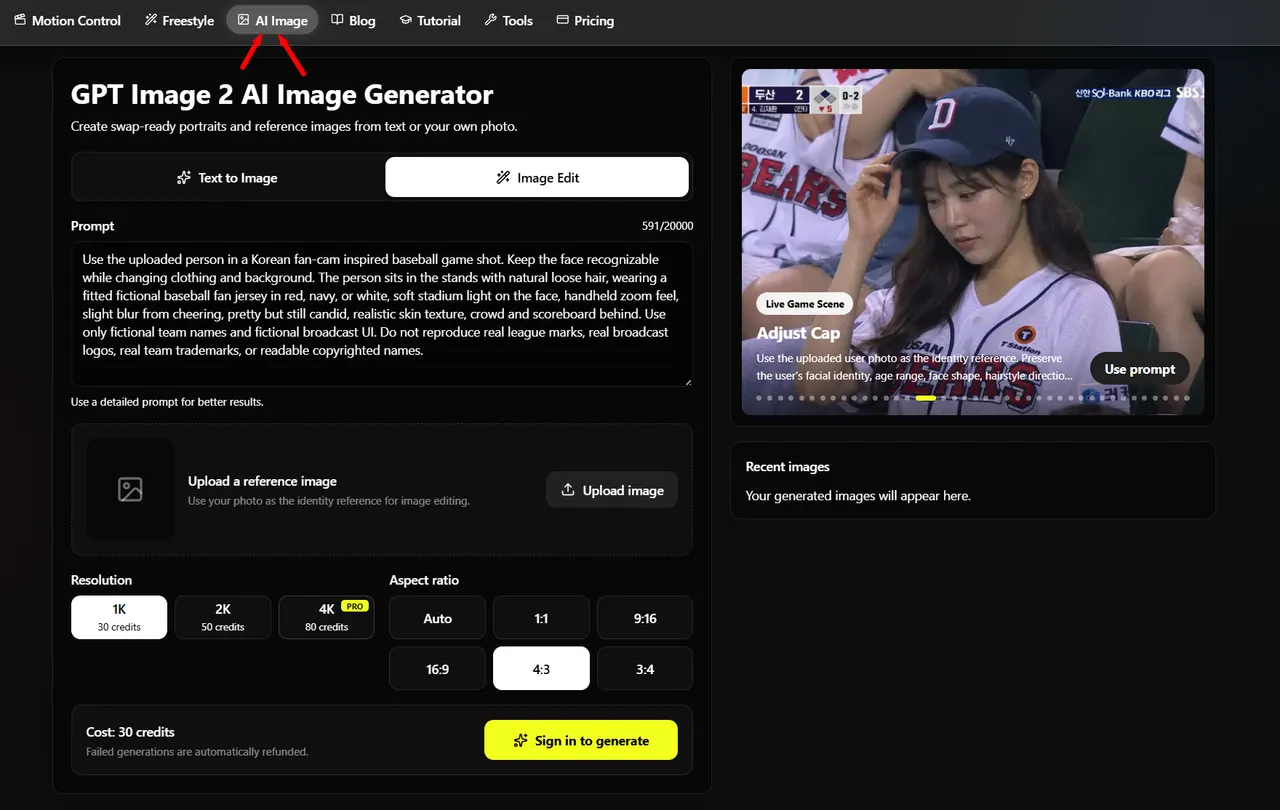
Use a well-lit face photo. Sunglasses, heavy shadows, and low-resolution selfies make it harder to preserve identity.
2
Use the Korean Baseball Prompt
You can pick a Live Game Scene preset in the Prompt Gallery, or paste this prompt directly into AI Image.
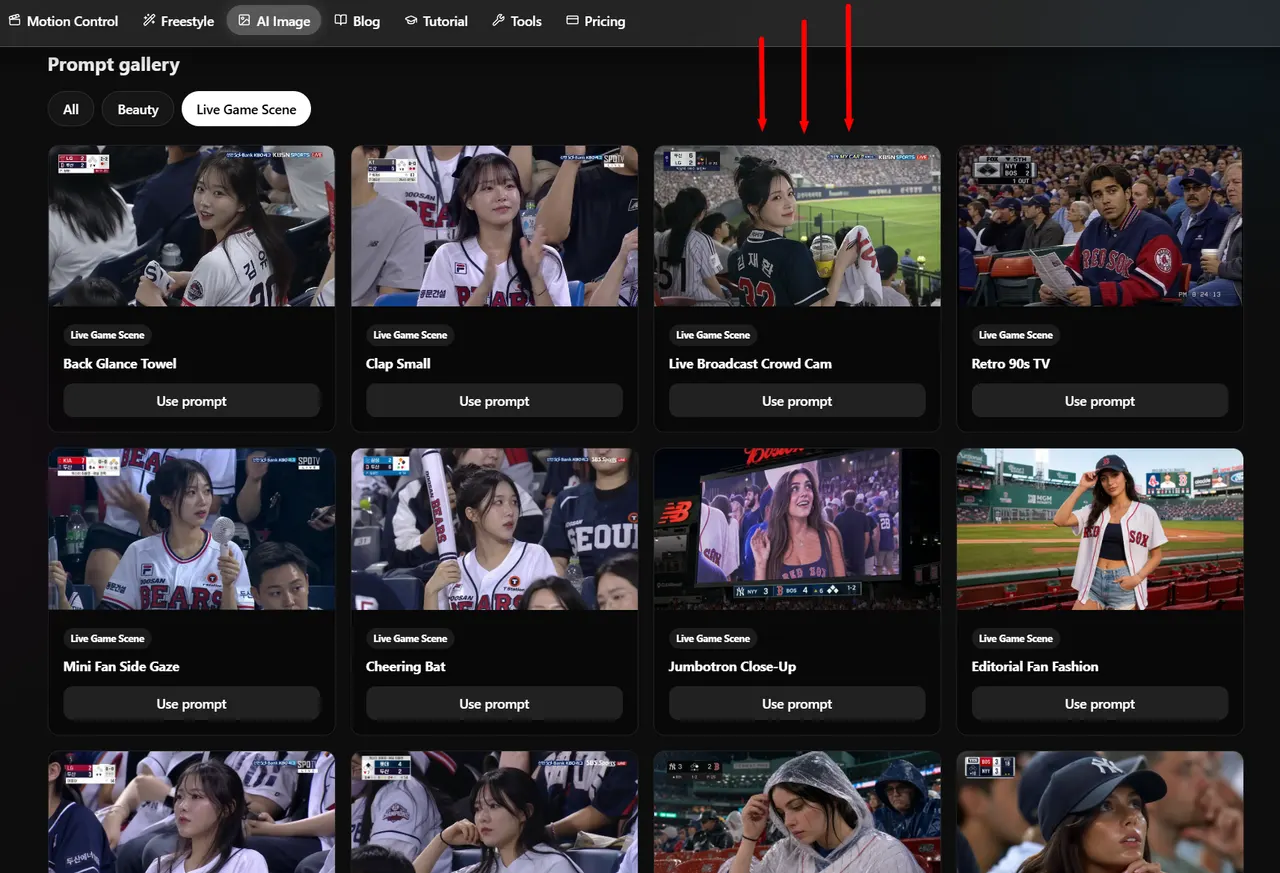
AI Image prompt
Keep the uploaded person's face exactly the same. Don't make them look like an AI-generated beauty model.
Generate the image as if they were naturally captured by a real KBO live sports broadcast camera in the audience.
Realistic SPOTV/KBO broadcast screenshot vibe, candid stadium composition, nearby fans, drinks, cheering tools, handheld fan, natural seating arrangement.
Slightly blurry live-stream quality, compression noise, subtle motion blur, realistic skin texture, baby hairs, sweat, and imperfect lighting.
Natural relaxed pose watching the game, not posing for the camera.

Important:
No face reshaping
No enlarged eyes
No jaw editing
No overly smooth/glassy skin
No influencer or photoshoot vibe
Must feel like a real accidental broadcast capture of an ordinary spectator that went viral online.
To change the sport, replace KBO/baseball stadium with NBA arena, NFL stadium, Premier League stands, or Formula 1 grandstand.
3
Open Kling 3.0 and Upload the Image
After AI Image finishes, download the result and open Kling 3.0. Upload the same generated image as both the Start frame and the End frame, then choose your duration.
Open Kling 3.0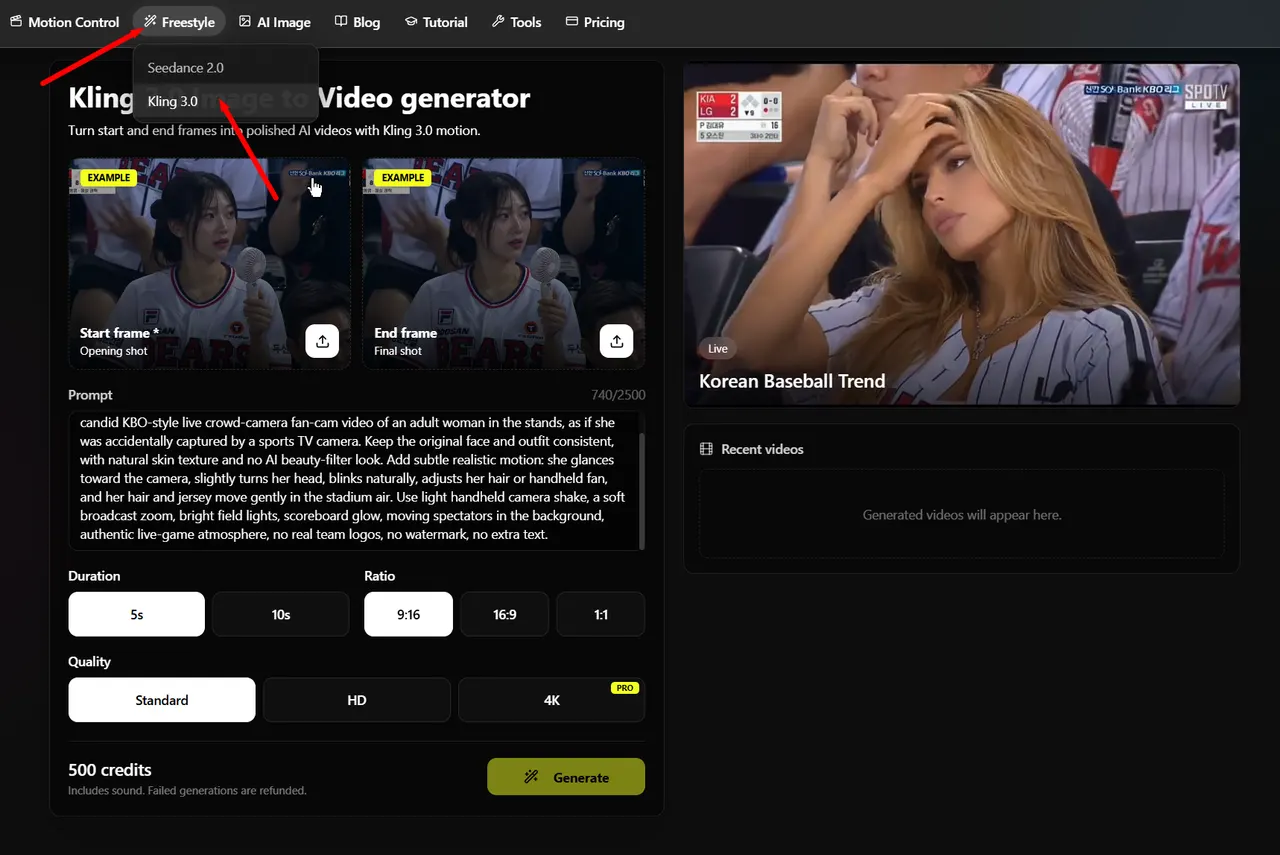
Important: use the same image for Start frame and End frame. If the end frame is empty or different, Kling may shift the face, outfit, or lighting near the end of the clip.
4
Animate It With the Motion Prompt
Paste this prompt into Kling 3.0. It keeps the clip subtle and broadcast-like instead of turning it into a glossy AI video.
Go to Kling 3.0Kling 3.0 motion prompt
Use the uploaded start frame as a real Korean baseball stadium broadcast reference. Create a candid KBO-style live crowd-camera fan-cam video of an adult woman in the stands, as if she was accidentally captured by a sports TV camera. Keep the original face and outfit consistent, with natural skin texture and no AI beauty-filter look. Add subtle realistic motion: she glances toward the camera, slightly turns her head, blinks naturally, adjusts her hair or handheld fan, and her hair and jersey move gently in the stadium air. Use light handheld camera shake, a soft broadcast zoom, bright field lights, scoreboard glow, moving spectators in the background, authentic live-game atmosphere, no real team logos, no watermark, no extra text.
For more variations, replace adjusts her hair with claps slowly, checks her phone, waves a small fan, or laughs with a friend.
Tipps für beste Ergebnisse
- Keep the image prompt realistic: broadcast camera, compression, imperfect lighting, and natural skin texture are the important parts.
- Use fictional or generic scoreboard and jersey text. Do not rely on real team marks or real broadcast logos.
- For the first attempt, use 1K or 2K in AI Image and a 5-second Kling 3.0 video so iteration stays fast.
- If the image looks too polished, add phrases like accidental broadcast capture, no beauty filter, and ordinary spectator.
- In Kling 3.0, upload the same generated still as both Start frame and End frame to reduce flicker and identity changes.
- If the video moves too much, ask Kling for subtle head turn, blinking, soft camera shake, and gentle crowd movement.
Häufige Fragen
What is the korean baseball ai trend?▾
It is a viral style where a normal portrait is transformed into a candid Korean baseball live broadcast shot, then animated into a short fan-cam video.
Do I need both AI Image and Kling 3.0?▾
For the full video workflow, yes. AI Image creates the realistic stadium still, and Kling 3.0 turns that still into a moving broadcast-style clip.
Should I use an End frame in Kling 3.0?▾
Yes. For this trend, upload the same generated stadium image as both the Start frame and End frame. It helps prevent flicker, face changes, and lighting jumps.
Which aspect ratio should I use?▾
Use 9:16 for TikTok/Reels-style vertical posts, or 16:9 if you want the result to look closer to a TV broadcast frame.
Can I use the prompt for other sports?▾
Yes. Replace KBO or Korean baseball stadium with NBA arena, NFL stadium, Premier League stands, or another live sports setting.
Bereit zum Ausprobieren?
Starte jetzt mit Koreanischen Baseball-AI-Trend erstellen (mit Prompt).